

If you are just starting your journey into digital marketing, one of the first things you will hear about is SEO. This SEO guide for beginners is designed to make the learning curve simple and practical, even if you’ve never optimized a website before. By following this SEO guide for beginners, you’ll learn how search engines think and how to position your website for success. Search Engine Optimization may sound complicated, but it is simply about making your website easy to find and understand for both people and search engines.
This SEO guide for beginners will take you through the essentials. You will learn how search engines work, how to do keyword research, how to optimize your content and website, and how to avoid common mistakes. With simple steps and practical tips, even beginners can start attracting more visitors and building authority online.
What is SEO?
SEO stands for Search Engine Optimization. It is the process of improving your website so that search engines like Google can easily understand and rank it. When done correctly, SEO helps your site appear higher in search results, attracting more visitors who are already interested in what you offer.
SEO is not just about adding keywords to your pages. It involves creating high-quality content that answers your audience’s questions, optimizing your website’s structure and performance, and building credibility through links from other trusted websites. By following SEO best practices, you make it easier for search engines to recognize the value of your site and for users to find the information they are looking for.
The ultimate goal of SEO is to connect the right audience with your website. People who find your content through search are often more engaged and more likely to take action, whether that means reading more articles, signing up for a newsletter, or purchasing a product. Learning SEO may take some time, but understanding the basics gives you the tools to grow your website’s reach and authority in a meaningful way.
Search engines follow three basic steps to decide which websites to show in search results. Every SEO guide for beginners emphasizes one thing: consistency in applying the basics brings the best long-term results.
- Crawling is the first step. Search engines use automated programs called spiders or bots to explore the web. These bots visit web pages, follow links, and discover new content. This is how search engines find all the pages that exist online.
- Indexing comes next. After a page is discovered, the search engine analyzes its content and stores it in a giant database called the index. The index organizes pages by topics, keywords, and other important information so the search engine can quickly find relevant pages when someone searches.
- Ranking is the final step. When a user enters a search query, the search engine looks through its index and decides which pages are the most relevant and helpful. It considers hundreds of factors, such as the quality of content, website authority, and how closely the page matches the searcher’s intent. The pages that best meet these criteria appear higher in the search results.
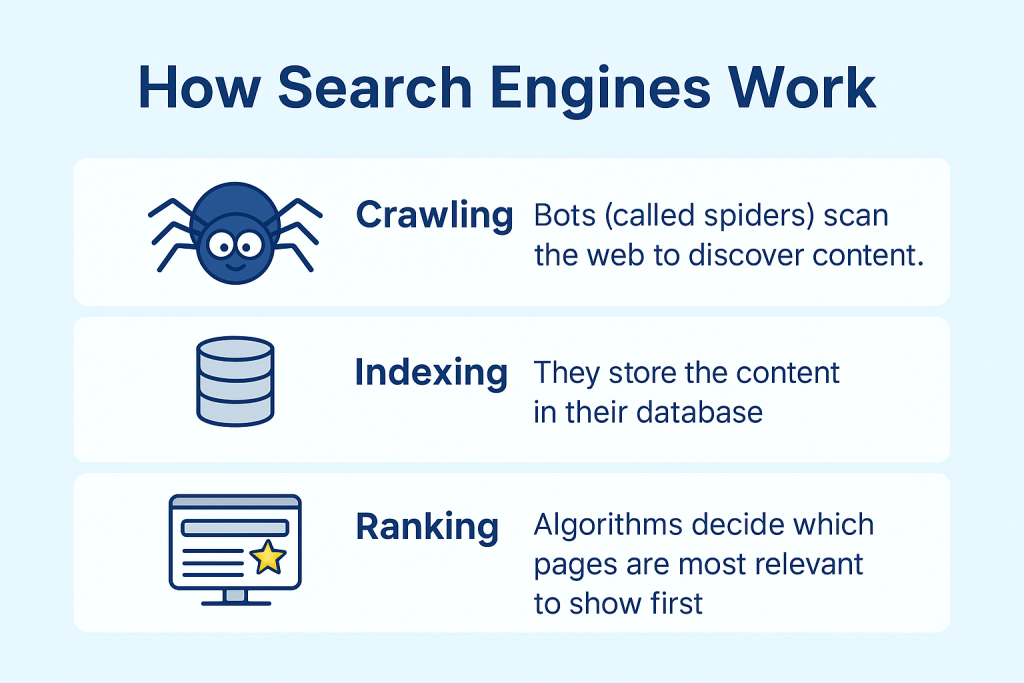
By understanding these steps, you can see why SEO matters. Optimizing your website helps search engines crawl, index, and rank your pages more effectively, increasing your chances of appearing in front of the right audience.
If you’ve ever wondered what is SEO in digital marketing, this is it a collection of practices that improve your site’s chances of being noticed. By following this SEO guide for beginners, you’ll learn how search engines think and how to position your website for success.
Why SEO is Important for Beginners
Unlike advanced resources, this SEO guide for beginners keeps things clear and actionable. SEO is not just about getting more traffic to your website. It is about increasing your visibility, building trust with your audience, and supporting long-term growth. Unlike paid ads, which stop showing as soon as your budget runs out, SEO creates results that continue over time.
A well-optimized website can:
- Attract visitors at any time
SEO ensures your website can appear in search results whenever someone searches for topics related to your business. This means your site can bring in traffic 24/7 without you having to actively promote it. Unlike social media posts or ads, which have a limited reach or lifespan, a strong SEO foundation keeps your website visible consistently. - Build trust and authority
When your website ranks high in search results, people perceive it as more trustworthy and authoritative. Search engines like Google show websites that are relevant, reliable, and valuable to users. By consistently providing high-quality content, optimizing your pages, and earning credible backlinks, you signal to both search engines and visitors that your website is a reliable source of information. - Generate leads without ongoing ad costs
Paid ads stop generating traffic once your budget runs out, but SEO brings in organic traffic for free. Visitors who find your site through search are often actively looking for information, products, or services, making them more likely to convert into leads or customers. This makes SEO a cost-effective long-term strategy for business growth. - Provide a strong foundation for growth
For beginners, implementing SEO from the start sets up your website for future success. Optimized content, proper keyword targeting, and a technically sound website make it easier to expand your site, create more content, and attract more visitors over time. A solid SEO foundation ensures that new pages and resources can rank faster and perform better. - Improve user experience
SEO isn’t just for search engines; it also makes your website better for visitors. Optimized websites load faster, are easier to navigate, and present content in a way that users can quickly understand. A positive user experience reduces bounce rates, encourages people to stay longer, and increases the likelihood that they will return to your site.
For beginners, focusing on SEO basics can make a huge difference in how quickly your site grows.
Types of SEO
SEO is not just one simple process. It can be divided into three main types: On-Page SEO, Off-Page SEO, and Technical SEO. Understanding each type helps beginners know exactly what to focus on to improve their website’s visibility and ranking.
1. On-Page SEO
On-Page SEO involves optimizing the content and elements on your website so that search engines and visitors can easily understand it. This type of SEO focuses on what is directly on your site.
Key elements of On-Page SEO include:
- Optimizing content with the right keywords
Use keywords that your target audience is searching for naturally within your content. For example, if you have a blog about “healthy recipes,” include phrases like “easy healthy recipes for beginners” or “quick nutritious meals.” Avoid stuffing keywords unnaturally, as that can harm your rankings. - Writing strong titles, meta descriptions, and headings
Your title and headings should clearly tell both readers and search engines what the page is about. A strong meta description encourages people to click on your link in search results. For example, a blog titled “10 Quick Healthy Recipes for Beginners” with a meta description like “Discover simple and nutritious recipes you can make in under 30 minutes to stay healthy and save time” is optimized for both search engines and readers. - Using internal links
Internal links are links that connect one page of your website to another. They help visitors navigate your site more easily and allow search engines to understand the structure and hierarchy of your website. By linking related content together, you can guide readers to more useful information and keep them engaged longer. For Example, on a blog about healthy eating, you might link the phrase “healthy breakfast ideas” to another article on your site that lists quick and nutritious breakfast recipes. This not only improves user experience but also helps search engines discover more of your pages. - Optimizing images
Optimizing images makes your website more accessible and improves your chances of appearing in image search results. Two key steps are:- Descriptive file names – Name your image files with relevant words instead of generic names like IMG1234.jpg.
- Example: Instead of IMG1234.jpg, use fresh-vegetable-salad.jpg.
- Alt text – Add alternative text that describes the image so search engines and screen readers can understand it.
- Example: For an image of a salad, the alt text could be: “fresh vegetable salad with avocado and tomatoes”. Optimized images improve SEO, enhance accessibility for users with disabilities, and can drive traffic from image searches.
- Descriptive file names – Name your image files with relevant words instead of generic names like IMG1234.jpg.
Learn more about On-Page SEO with our detailed post covering everything you need to optimize. When applied correctly, the steps in this SEO guide for beginners can help your site steadily grow in both authority and traffic
2. Off-Page SEO
Off-Page SEO refers to actions taken outside your website to improve its authority and trustworthiness. It focuses on building your site’s reputation online.
Key elements of Off-Page SEO include:
- Earning backlinks from other websites
Backlinks act as votes of confidence for your site. When high-authority websites link to your content, search engines see your site as more credible. For example, if a popular health blog links to your healthy recipes article, it signals that your content is valuable. - Building brand mentions and online authority
Being mentioned on social media, forums, and other platforms helps establish your brand and increases trust. Even if the mention doesn’t include a direct link, it can still contribute to your online reputation. For instance, being cited in a fitness magazine’s online article builds credibility for your health-related website. This SEO guide for beginners also reminds you that search engines reward websites that provide genuine value.
3. Technical SEO
Technical SEO ensures that your website runs smoothly and can be easily crawled and indexed by search engines. This type of SEO focuses on the behind-the-scenes elements that impact performance and accessibility. Technical improvements may sound complex, but this SEO guide for beginners breaks them down into easy steps.
Key elements of Technical SEO include:
- Ensuring your site loads fast
Slow websites frustrate users and can lead to higher bounce rates. Tools like Google PageSpeed Insights can help identify areas to improve speed. For example, compressing images and reducing unnecessary scripts can make a page load much faster. - Making it mobile-friendly
Most searches now happen on mobile devices. A responsive design ensures your website looks good and functions well on all screen sizes. For instance, a mobile-friendly recipe site will adjust images and text so they are easy to read on a phone. - Using sitemaps and structured data
Sitemaps help search engines find and index all your pages efficiently. Structured data, such as schema markup, gives search engines additional information about your content. For example, marking up a recipe with structured data allows Google to show cooking time, ingredients, and ratings directly in search results.
By focusing on all three types of SEO: On-Page, Off-Page, and Technical, beginners can create a well-rounded strategy that improves visibility, authority, and usability, giving their website the best chance to rank higher in search results.
Keyword Research for Beginners
What is Keyword Research?
Keyword research is the process of discovering and analyzing the search terms your target audience uses. Any SEO guide for beginners would highlight that keyword research is the backbone of good content. These keywords help you understand what people want, how often they search for it, and how competitive it is to rank for those terms.
For example, if you run a fitness blog, instead of just writing about “exercise,” keyword research might show you that people often search for “best home workouts without equipment”. That’s a more specific and useful keyword to target.
Types of Keywords
- Short-tail keywords: Broad terms like “SEO” or “shoes.” They get high search volume but are very competitive.
- Long-tail keywords: More specific, like “best running shoes for flat feet.” They have less competition and usually bring in highly targeted visitors.
- Transactional keywords: Used when people are ready to buy, like “buy Nike Air Max online.”
- Informational keywords: Used when people want to learn, like “how to do keyword research.”
How to Do Keyword Research (Step by Step)
- Brainstorm topics – Start with broad topics related to your business or interest.
- Use free tools – Google Autocomplete, Ubersuggest, or AnswerThePublic can give keyword ideas.
- Check search volume & competition – Tools like Google Keyword Planner or SEMrush show how many people search for a keyword and how hard it is to rank.
- Look at competitors – See what keywords similar websites are ranking for.
- Choose keywords with balance – Pick ones that have decent search volume but aren’t too competitive.
Some beginner-friendly keyword research tools include:
Start small by focusing on long-tail keywords with medium volume and low difficulty.
Writing SEO-Friendly Content
Great content is the backbone of SEO. Even if your site is technically perfect, without high-quality content you won’t get far. Search engines want to serve users the best possible answer, so your content needs to be helpful, easy to read, and well-structured.
Here’s how to create SEO-friendly content step by step:
1. Write for People First, Search Engines Second
Always focus on your readers. If your article genuinely helps them, search engines will notice. Don’t just repeat keywords; instead, answer questions, solve problems, and provide value.
2. Use Keywords Naturally
Keywords are important, but stuffing them into every sentence makes content hard to read and hurts rankings. Place your main keyword in the title, introduction, a few headings, and naturally throughout the text. Use variations (LSI keywords) to keep it natural.
3. Structure with Headings (H1, H2, H3)
Headings make content easier to skim. Use one H1 for your main title, then break sections down with H2s and H3s. This not only helps readers but also gives search engines a clear outline of your content.
4. Add Images with Descriptive Alt Text
Images improve engagement and help explain ideas visually. Always use alt text to describe the image, since it makes your site more accessible and helps with image search rankings. Example: Instead of “image1.jpg,” use “homemade pizza with fresh cheese.”
5. Keep Sentences Short and Simple
Long, complicated sentences lose readers. Aim for clarity. Use short paragraphs (2–3 sentences) so your content looks clean and scannable.
6. Match Search Intent
Every keyword has a purpose — some people want to buy, some want to learn, and some want to compare. Make sure your content matches what users expect. For example, if someone searches “how to make coffee at home,” they want a step-by-step guide, not a product ad.
7. Make Content Comprehensive
Thin content doesn’t perform well. Cover the topic fully so readers don’t need to go back to Google for more answers. Add examples, FAQs, and extra details to build authority.
8. Optimize Readability
Use bullet points, bold text, and visuals to make content engaging. A good rule of thumb: if a beginner can understand your article, it’s likely SEO-friendly.
👉 Pro Tip: Learn more about On-Page SEO with our detailed post covering everything you need to optimize.
Link Building Basics
Links from other sites (backlinks) act as votes of confidence. The more quality links you earn, the more trustworthy your site appears to Google.
Beginner-friendly ways to get backlinks:
- Guest posting on related blogs.
- Sharing useful resources that people want to link to.
- Reaching out to websites in your niche.
Always focus on quality over quantity when building backlinks.
Technical SEO Made Simple
Don’t let the term technical SEO scare you, it simply means making sure your website runs smoothly so both users and search engines can access it without issues. Think of it as the “health checkup” for your site. Here’s what to focus on:
1. Mobile optimization
Most people browse the internet on their phones. If your site isn’t mobile-friendly, users will struggle to read or navigate, and Google may rank it lower. A responsive design (one that adjusts to any screen size) is a must.
2. Site speed
Nobody likes waiting for a slow page to load. Even a few seconds of delay can make people leave. Compressing images, using faster hosting, and minimizing unnecessary code can help boost speed.
3. Security (HTTPS)
If your website still uses “http://” instead of “https://,” it’s time for an upgrade. HTTPS not only protects visitors with encryption but also builds trust. Plus, Google favors secure websites.
4. Indexing
Search engines like Google need to find and “read” your pages to show them in search results. You can help by creating an XML sitemap and submitting it to Google Search Console. This ensures Google knows what pages exist and keeps them updated.
👉 In short: technical SEO is about giving your site a solid foundation. When your site is mobile-friendly, fast, secure, and easy to index, everything else you do in SEO works better.
These steps make it easier for search engines to crawl and rank your site.
Local SEO for Beginners
If you run a small business, local SEO is crucial. By optimizing for your area, you can attract nearby customers.
- Claim and optimize your Google Business Profile.
- Collect positive customer reviews.
- Add your business info consistently across online directories.
Local SEO helps small businesses compete with bigger brands in their area.
Common SEO Mistakes to Avoid
When you’re just starting with SEO, it’s easy to make mistakes that can hurt your rankings and waste months of effort. Here are some of the most common pitfalls beginners face — and how to avoid them:
1. Keyword Stuffing
Using your keyword in every sentence makes content hard to read and looks spammy to search engines. Instead, use keywords naturally and mix in related terms.
2. Duplicate Content
Copying text from other sites or repeating the same content across your own pages confuses search engines. Always create original, valuable content that’s different from what’s already out there.
3. Ignoring Mobile Optimization
Most people browse on their phones. If your site isn’t mobile-friendly, visitors will leave quickly, and search engines may push you down in results. Use a responsive design that works well on all devices.
4. Forgetting to Update Old Content
SEO isn’t a one-time task. Leaving outdated articles on your site can hurt credibility. Refresh old posts with new stats, examples, and links to keep them relevant.
5. Skipping Title Tags and Meta Descriptions
These small details appear in search results and strongly influence clicks. A missing or poorly written meta description could mean fewer visitors.
6. Not Building Internal Links
Internal links help readers navigate and guide search engines through your site. Many beginners ignore this, but even a few strategic links can improve ranking.
7. Overlooking Page Speed
A slow site frustrates users and lowers your chances of ranking. Compress images, use caching, and choose a reliable host to keep your site fast.
✅ Takeaway: Avoiding these mistakes early on can save you months of wasted effort and help your website grow faster. This SEO guide for beginners ensures you avoid common traps like keyword stuffing and duplicate content.
SEO Tools Every Beginner Should Use
If you’re serious about growth, treat this SEO guide for beginners as the foundation of your digital strategy.
- Google Analytics: Track visitors and behavior.
- Google Search Console: See how your site performs in search results.
- Ubersuggest: Find keywords and analyze competitors.
- Semrush / Ahrefs: Advanced tools for keyword and backlink analysis.
Even free tools can take your SEO efforts a long way.
Future of SEO
Many experts agree that every successful marketer once started with an SEO guide for beginners just like this one. SEO is constantly evolving. Trends to watch in 2025 and beyond include:
- AI and machine learning in search algorithms.
- Voice search optimization as more people use smart speakers.
- Video SEO with platforms like YouTube gaining dominance.
Staying updated ensures your strategies remain effective.
Conclusion
SEO might feel overwhelming at first, but once you understand the basics, it becomes much more manageable. This SEO guide for beginners gives you the tools to build trust, visibility, and long-term online authority. By focusing on on-page optimization, keyword research, quality content, and technical health, you’ll build a strong foundation for long-term success. In short, this SEO guide for beginners is your first step toward mastering digital marketing.
Remember, SEO is a marathon, not a sprint. Start small, stay consistent, and your website will grow over time.


